
FAQ & Support
Support
Welcome to the Digiteal Developer Support page. We are committed to providing you with the resources you need to build, test, and scale your integration successfully.
Contacting Support
If you can't find what you're looking for on doc.digiteal.eu or in the FAQ below, our team is ready to help.
- Technical Support: Submit a ticket through our support dashboard at support.digiteal.eu or email us at
[email protected]. Please include relevant details like your Account ID and the specific Request ID to help us resolve your issue faster.
System Status
Stay up to date with Digiteal's API uptime and scheduled maintenance by visiting our Status Page. You can subscribe to real-time updates via webhooks, Slack, email, or RSS directly from that page.
FAQ
General
How do I authenticate with the Digiteal API? API requests require authentication. You can find complete instructions on how to authenticate your requests in our Basic Auth documentation
What are the API URLs and environments? Details regarding our API URLs for different environments can be found in our Security documentation.
Help! My access to the API is blocked. Blocked access is usually the result of repeated incorrect authentication attempts, which can lock the account for security reasons. To resolve this, you must reset your password.
Visit the password reset page for your environment:
- Test Environment:
https://web-test.digiteal.eu/public/forgotten-password - Production Environment:
https://web-app.digiteal.eu/public/forgotten-password
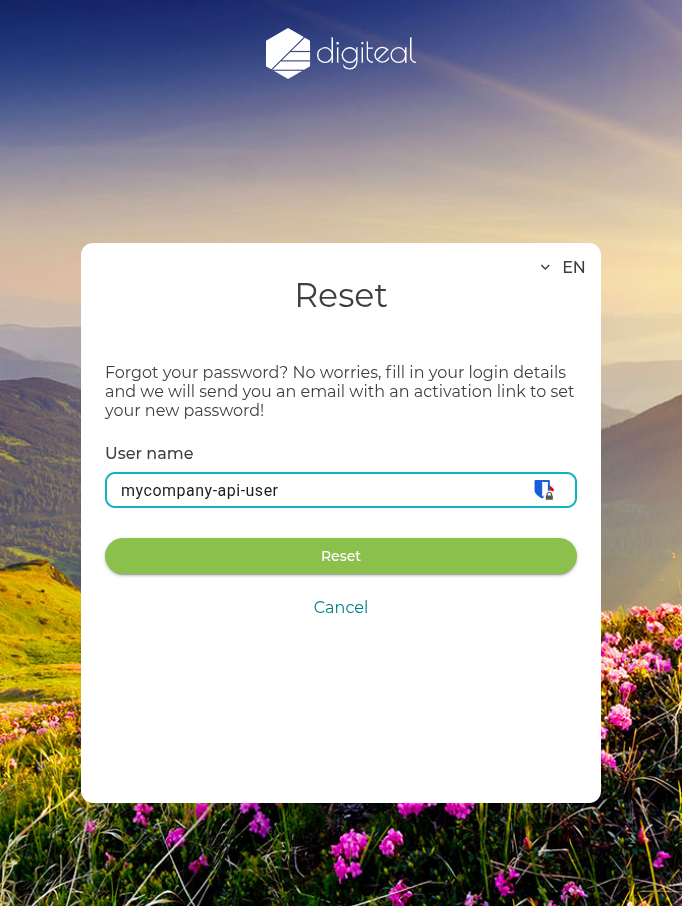
Fill in your full [User name] in the user name field (just like the example shown below) and click the 'Reset' button. An activation link will be sent to your registered email.
What are the API rate limits? We only apply rate limits to non-authenticated endpoints that are free of use. Please note that these non-authenticated endpoints should not be used in a production environment.
Webhooks
How do I secure my webhook endpoints? Webhooks can be secured in two ways:
- Basic Authentication: By specifying an optional username and password in your webhook configuration. See the Set Webhook Configuration Credentials endpoint reference.
- mTLS: By using mutual TLS. Learn more in our mTLS (Us Calling You) guide.
What happens if my server is down or fails to acknowledge a webhook? If your server returns a status code outside the 2xx range, or if the request times out, Digiteal will retry delivering the webhook every hour.
What IP addresses do webhooks come from? If your firewall restricts incoming traffic, you must whitelist our webhook IP addresses. You can find the current list of our IP addresses in our Webhook Configuration documentation.
Peppol
Getting Started: Before diving in, we highly invite you to read our thorough Peppol Access Point Guide.
How long does it take to register a Peppol Participant ID? Registering a new Participant ID takes approximately 1 hour to fully propagate through the entire Peppol network. Please note that Digiteal does not require KYC for this step; the responsibility for KYC lies entirely with the integrator and their end-users.
Which Peppol document types does Digiteal support?
We have a full list detailed here
How do I know if an invoice was successfully delivered to the recipient? Delivery confirmation depends on how you send the document:
- Synchronous Sending: A
200 OKresponse directly confirms that the delivery was successful. - Asynchronous Sending: You will receive a webhook confirming if the sending was successful or if it failed.
- Receipts: We can also provide a formal receipt (
DeliveryNonDeliveryevent) via webhook for your records. For more details on configuring and understanding these receipts, please see our Peppol Webhooks and DeliveryNonDelivery documentation.
Updated 5 months ago